
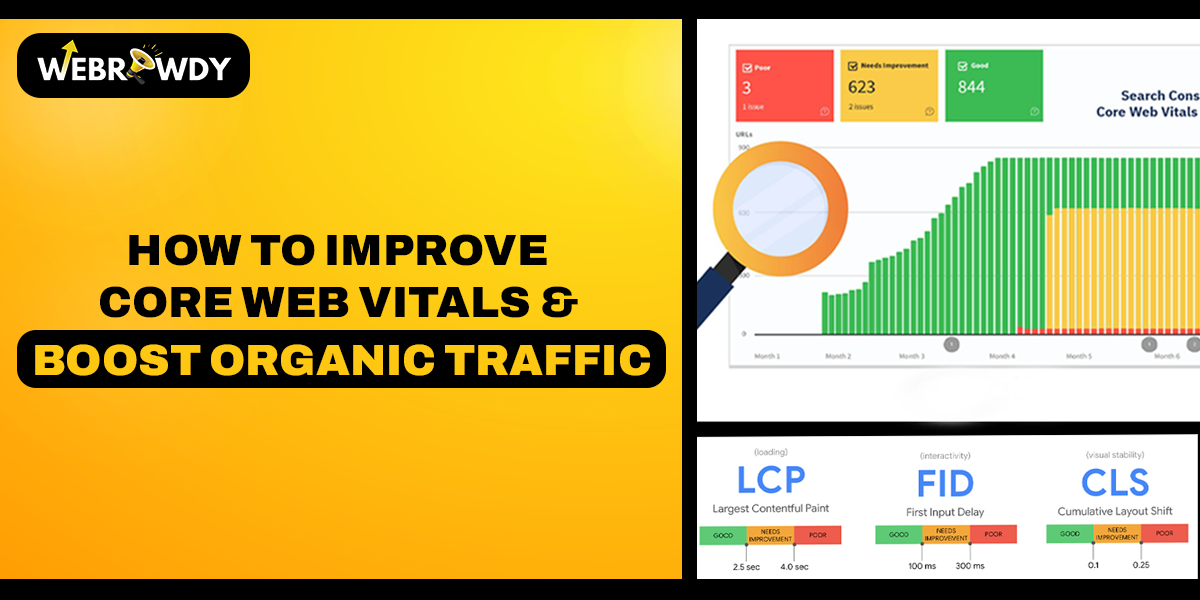
Imagine clicking on a website, and it loads so slowly that you lose interest. That is exactly why core web vitals have become an important signal Google uses. This decides which websites deserve to be seen.
Why Core Web Vitals Matter More Than Ever
Google introduced this for a better user experience for people on the web. Most people think website performance is a “technical thing” they don’t need to worry about. But the truth is simple:
If your website feels slow, people will leave. Even a 1-second delay can push people away.
According to studies by Huckabuy, a one-second delay in page load leads to a 20% drop in mobile conversions. This means all your marketing efforts lose impact.
Understanding Core Web Vitals: A Simple Breakdown
Before you start optimizing, it is important to understand what Google is measuring.
1. Largest Contentful Paint (LCP)
It shows how fast your main content loads.
Ideal score: 2.5 seconds or less.
Slow LCP usually happens because of:
- Heavy images
- A slow server
- Too many scripts blocking the loading
- Low-quality hosting
2. First Input Delay (FID)
It shows how quickly your site reacts when someone clicks.
Ideal score: Under 100 milliseconds.
Bad scores happen when:
- Your site runs too much JavaScript
- You have too many third-party widgets or trackers
- The browser is overloaded at page load
3. Cumulative Layout Shift (CLS)
It measures visual stability.
Ideal score: Less than 0.1.
High CLS comes from:
- Images without size info
- Ads pushing content around
- Pop-ups appearing unexpectedly
The Complete Roadmap to Improve Core Web Vitals
This is how you can improve your website speed and performance. This is the same approach professional website speed optimization teams follow.
1. Start With a Tech Checkup
Before making changes, conduct a performance-first assessment using some speed insight software or a website audit checklist.
A technical evaluation typically reveals issues like
- Images that are too big
- Old plugins
- Heavy themes
- Slow server response
- Unoptimized code
Every website is different, so this step saves time and prevents guesswork.
2. Optimize Images and Media
Images are responsible for more than 50% of a website’s load weight. Data from the HTTP Archive shows images as the largest content type for the average web page. Optimizing them immediately reduces page load time.
Smart tips to implement:
- Convert to WebP
- Resize to a proper display size
- Compress them
- Lazy-load anything below the fold
Small tweaks here can improve website performance drastically.
3. Upgrade Your Hosting and Server Response Time
Even if everything else is perfect, a slow server will slow you down.
A good hosting environment offers:
- Faster initial load
- Better caching
- Less downtime
- Easy CDN support
This technical backbone of page speed optimization is often overlooked. However, it has the highest long-term impact.
4. Minify, Compress & Defer Scripts
Too many scripts lead to a slow and clunky website. Improve this by:
- Remove unused plugins
- Minify CSS and JS
- Defer non-essential scripts
- Replace heavy plugins with lighter ones
Less script means faster response and a better web experience.
5. Use a Content Delivery Network (CDN)
A Content Delivery Network delivers your site from the server closest to your visitor. This results in:
- Faster loading
- Lower delays
- Better stability
- Smooth performance during traffic spikes
Most high-traffic websites rely on CDNs for consistent performance.
6. Use Proper Caching Systems
Caching means your site doesn’t have to rebuild everything from scratch each time. Modern caching strategies include:
- Page caching
- Browser caching
- Object caching
- Edge caching via CDN
These reduce time-consuming server operations and deliver improved website speed.
7. Fix Layout Shift Issues (CLS)
To keep your site visually stable:
- Setting image height/width
- Reserving space for ads
- Avoiding pop-ups that shift content
- Loading fonts correctly
Good CLS creates a smoother web experience.
7. Reduce Third-Party Scripts
Every extra tool slows you down. Audit them regularly. Remove whatever is not essential.
Even reducing one extra script can improve performance.
8. Focus on Mobile First
According to Statista, more than 60% of web traffic is mobile. If your mobile site is slow, everything else suffers.
Mobile optimization improvements:
- Simplifying layouts
- Reducing animations
- Using responsive images
- Avoiding heavy hero banners
- Limiting pop-ups
Mobile is not optional anymore. It is the priority.
A Faster Website Means Happier People
At the end of the day, people just want websites that work fast and smoothly without frustration. When you improve core web vitals and make your site more stable, visitors enjoy being there.
Conclusion
At the end of the day, improving your core web vitals for a faster and more stable website is not about pleasing Google. It is about respecting your visitors and valuing their time. WebRowdy helps your website to impress and engage. When you are ready to unlock growth, we are here to make it happen.
Give your visitors the experience they deserve. Talk to WebRowdy’s experts now.
Frequently Asked Questions About Core Web Vitals:
Q1. What is LCP?
A1. It measures how fast the content loads.
Q2. Does hosting affect performance?
A2. A good hosting website improves loading time and stability.
Q3. Do third-party scripts slow down a site?
A3. Too many third-party scripts delay loading.
Popular Post
How AI is Transforming SEO: Strategies for Visibility and the Future of Search
How to Build an AI-Powered Website (Chatbot + Automation + Lead Capture)
Why Businesses Must Shift from SEO to AEO + GEO for Lead Generation